
Extreme iPhone Security With Lockdown Mode
- A little‑known iPhone feature called Lockdown Mode has drawn renewed attention after it prevented FBI agents from accessing a reporter’s device.
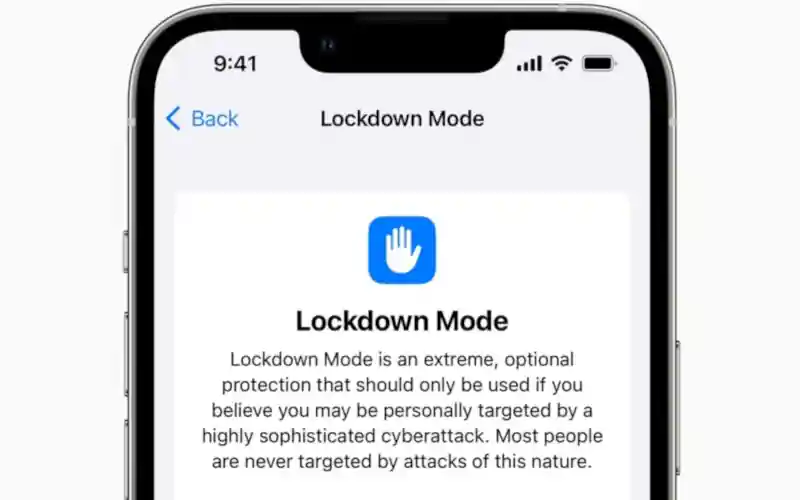
- The tool is designed to defend against highly sophisticated digital attacks by imposing strict limits on apps, websites and system functions.
- Its recent role in a federal investigation highlights how Apple’s security model interacts with law‑enforcement efforts and user privacy.
A Feature Built for Exceptional Threats
Apple’s Lockdown Mode is intended for users who face unusually advanced cyber risks. The company describes it as an optional layer of protection that restricts system functions to reduce potential attack surfaces. It is available on newer versions of iOS, iPadOS and macOS, where it disables or limits features that could be exploited by spyware. Most people will never need it, yet the tool exists for individuals whose work or identity makes them potential targets.
The feature recently gained attention when FBI agents were unable to extract data from Washington Post reporter Hannah Natanson’s iPhone. Investigators had seized her devices during a search related to a Pentagon contractor accused of mishandling classified information. According to a court filing, the bureau’s technical team could not bypass the protections enabled by Lockdown Mode. The incident underscored how the feature can block even well‑resourced attempts to access a device.
Apple has long resisted government requests to weaken its security architecture. The company previously declined to create backdoor access for law enforcement, including during the 2016 San Bernardino case involving an encrypted iPhone. It also refused to implement electronic passcode entry systems that could enable automated brute‑force attacks. Apple maintains that intentionally weakening device security would harm users worldwide.
How Lockdown Mode Works in Practice
Turning on Lockdown Mode requires users to update their devices and enable the feature manually. The setting is located under Privacy and Security, where activation requires entering a passcode rather than using biometric authentication. Once enabled, the device restarts and applies a series of restrictions that affect apps, network connections and media handling. Each Apple device must be configured separately, as the setting does not sync across hardware.
The mode alters how websites load by blocking complex web technologies that could be exploited. Some pages may appear incomplete, with missing images or fonts, because the browser limits what scripts can run. Messaging apps also behave differently, as most attachment types are blocked and link previews are disabled. FaceTime calls from unknown numbers are rejected unless the user has contacted them within the previous month.
Photo‑related features are similarly constrained. Shared albums disappear from the Photos app, and location data is removed from images before sharing. Focus mode may not function normally, and the device becomes more cautious when connecting to unfamiliar Wi‑Fi networks or accessories. These changes collectively reduce the number of pathways an attacker could use to compromise the system.
Users may notice practical inconveniences when Lockdown Mode is active. Some apps warn that certain functions will not work, and websites relying on advanced scripts may fail to load. One example involved a web‑based gym check‑in system that required camera access, which Lockdown Mode blocked. The standalone Code Scanner app still worked, suggesting that the restriction applied specifically to browser‑initiated camera use.
Why Passcodes Matter More Than Biometrics
Security experts note that passcodes offer stronger legal protection than biometric authentication. Authorities can compel individuals to unlock devices using fingerprints or facial recognition, but they generally cannot force disclosure of a memorized passcode. In Natanson’s case, agents told her they could not require her to provide her passcodes. The search warrant, however, did authorize the use of her biometrics to unlock her devices.
Natanson reportedly did not use biometric locks on her iPhone, which prevented agents from accessing it. Her MacBook, however, was ultimately unlocked using her fingerprint. This distinction illustrates how biometric convenience can introduce vulnerabilities in situations involving legal compulsion. Lockdown Mode reinforces passcode‑based security by requiring manual entry during activation and unlocking.
Apple recommends enabling the feature on all compatible devices for users who believe they may be targeted. The company emphasizes that Lockdown Mode is not intended for everyday use but for scenarios involving elevated risk. Turning it off requires the same steps as turning it on, including a restart and passcode entry. These requirements ensure that disabling the feature cannot be done casually or without the user’s knowledge.
Lockdown Mode was introduced in 2022 as part of Apple’s broader response to the global rise of commercial spyware, including tools like Pegasus. The company has also launched a Security Bounty program offering up to $2 million for researchers who discover vulnerabilities in Lockdown Mode, making it one of the highest bug‑bounty rewards in the industry.